Permanent Outdoor Lighting Scenes — the Full Playbook
The single biggest difference between a great permanent RGBW lighting install and a bad one isn't the fixtures — it's the scene library. A $10,000 install ruined by one ugly 'Fourth of July' preset makes the whole system look like a toy. A modest install with a well-programmed scene library looks like architectural lighting.
This is the scene playbook AE loads into every permanent outdoor lighting install — with the rules for when to run each one, what to skip, and how to keep the HOA happy year-round.
In this guide+
- 01Everyday warm white — the scene that runs 340+ nights a year
- 02Holiday scenes — the 6 that actually matter
- 03Team and school color scenes — the Phoenix set
- 04Event scenes — birthdays, anniversaries, gender reveals
- 05Scenes to skip — always
- 06HOA-safe scene rules
- 07Programming and commissioning — done at install
Everyday warm white — the scene that runs 340+ nights a year
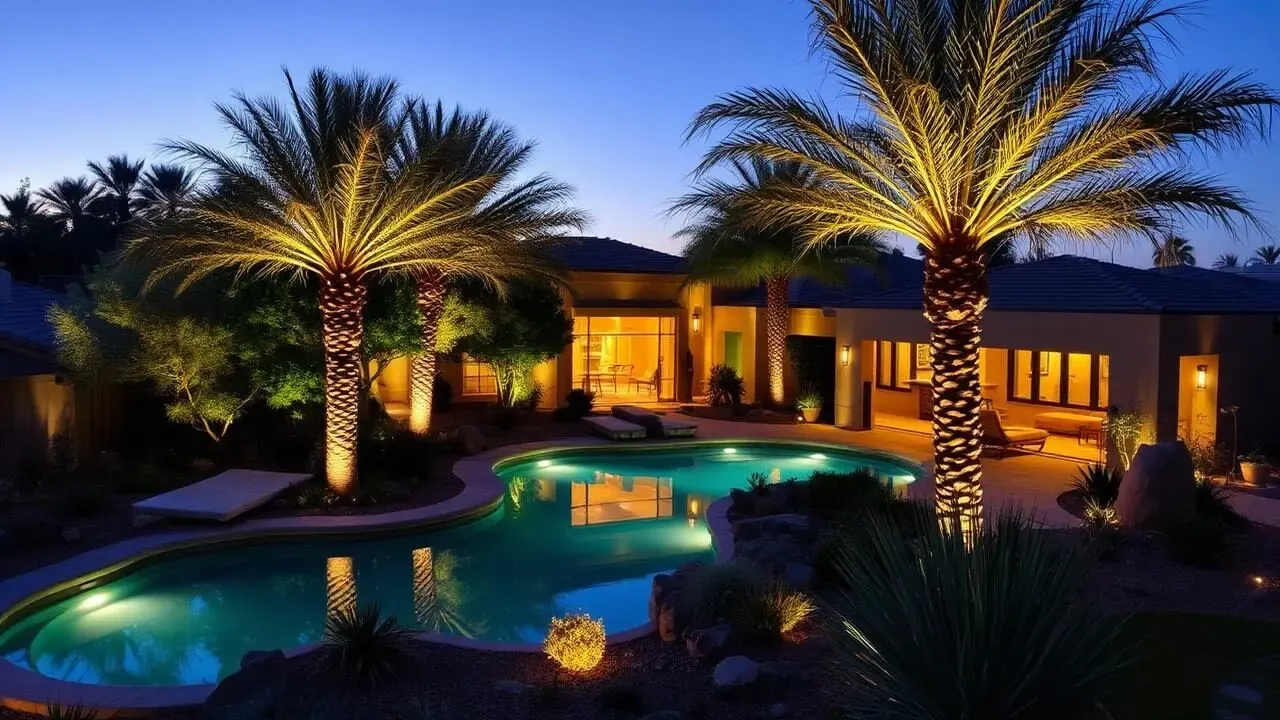
The most important scene in the entire library is the everyday warm-white preset. On a permanent RGBW system, the everyday scene runs roughly 340 nights out of the year — every night except the 20–25 nights of holidays, events, and team-color moments. If the everyday scene looks bad, the entire install looks bad.
- Target 2700K equivalent warm white — never white-white or cool-white.
- Dim to 40–70% brightness — full brightness on RGBW reads harsh.
- Fade-on at dusk over 8–12 minutes, fade-off at your chosen off-time. Instant on/off ages badly.
- Save a slightly dimmer 'guest mode' variant at 25–35% for late-night ambient after guests leave.
Holiday scenes — the 6 that actually matter
Six U.S. holidays cover essentially all HOA-approved permanent lighting scenes. Program these six well; skip the rest until asked.
- Christmas / December holidays — red + green alternating channels, warm-white overlay every 3rd node, slow fade. Skip full-saturation red — it reads brothel.
- Halloween — deep orange with 20% purple accent. Skip green + purple chase; it looks like a haunted-house billboard.
- Fourth of July / Memorial Day / Veterans Day — red, warm-white, and desaturated blue in stripes, slow fade. Skip fast chase and skip saturated blue.
- Valentine's Day — 60% warm-white + 40% desaturated pink. Skip full red.
- St. Patrick's Day — desaturated green + warm-white every 3rd node. Skip full-saturation green.
- Thanksgiving — deep orange + amber + warm-white. Skip red-orange (looks like Halloween leftover).
Team and school color scenes — the Phoenix set
Team-color scenes are one of the highest-use presets after everyday warm white, especially during football season. Get the color balance right and neighbors ask who did the install — get it wrong and the house looks like a sports bar.
- Arizona Cardinals — cardinal red + warm-white accents. Skip pure red.
- Arizona State Sun Devils — maroon + gold. The gold is the hard color — most controllers default to yellow; the correct gold is closer to amber.
- University of Arizona Wildcats — cardinal red + navy. Desaturate both to 70% — full saturation looks like a costume shop.
- Phoenix Suns — purple + orange. This one requires careful spacing — solid purple runs look bruised.
- Arizona Diamondbacks — sedona red + black + warm-white. Programming pure black on RGBW = fixtures off; skip every 3rd node for the effect.
- Local high school — save 2 slots for the homeowner's local high school; ask during install.
Event scenes — birthdays, anniversaries, gender reveals
Save 4–6 slots for one-off event scenes. These run for an evening once or twice a year and are typically the scenes that get the most social-media photos of the install.
- Anniversary — warm-white with slow subtle amber pulse. Never full-saturation red for anniversary.
- Birthday — desaturated multicolor, slow fade, avoid rainbow gradient chase.
- Gender reveal (pink) — 50% pink + 50% warm-white. Full pink looks flat.
- Gender reveal (blue) — 50% desaturated blue + 50% warm-white. Skip navy — reads like a police scanner.
- Cause / awareness (pink for October, red for AIDS, etc.) — save one 'cause' slot, reprogram color per month.
- New baby / homecoming — soft amber wash, slow breathing pulse.
Scenes to skip — always
- Full-saturation rainbow chase — reads like a strip club sign at any brightness.
- Full-saturation blue solid — Phoenix neighbors will call the HOA within a week.
- Fast strobe or twinkle — headache-triggering and unwelcome in any residential neighborhood.
- Multi-color slow fade with more than 4 colors — the result is always mud.
- Any 'party' preset from the factory library — universally bad. Program your own event scenes.
HOA-safe scene rules
Most Phoenix-metro HOAs now regulate permanent lighting operating hours and color use outside of holiday windows. A well-programmed scene library keeps you compliant automatically.
- Default everyday scene = warm white only. This should be locked as the fallback if any other scene errors out.
- Holiday scenes should be scheduled to auto-return to warm-white at midnight or the HOA's stated off-time.
- Team-color scenes should auto-run only on game day and revert to warm-white the next morning.
- Event scenes should be scheduled for a specific date range and revert automatically — never leave a birthday scene running for a week.
- Save the AE 'HOA-safe pack' as the default scene library — every scene in it has been reviewed against Phoenix-metro CC&Rs.
Programming and commissioning — done at install
- Every AE permanent lighting install ships with scene library commissioned on the app before we leave the site.
- Scene library is versioned — we push updates for new holidays or team colors as part of the Guardian contract.
- Homeowner training is included — how to change a scene, schedule an event, and lock the everyday scene as default.
- Reset-to-factory is disabled on commissioning to protect the HOA-safe library from accidental deletion.
Frequently asked
- How do you program permanent outdoor lights?
- Permanent RGBW outdoor lighting systems are programmed through the manufacturer's app (Jellyfish, Trimlight, Everlights, Gemstone, AE LEDs all ship with their own app). During commissioning we load a scene library covering four categories: an everyday warm-white default (runs 340+ nights a year), 12–15 holiday scenes for the 6 major U.S. holidays, 2–4 team and school color scenes for local sports, and 4–6 event scenes for birthdays, anniversaries, and one-offs. Homeowner training is included at install.
- What scenes come with permanent outdoor lights?
- Every RGBW controller ships with roughly 60–100 factory preset scenes. About 30 of them make any install look cheap regardless of hardware quality — full-saturation rainbow chase, full-saturation blue solid, fast strobe, and multi-color slow fades with more than 4 colors. On commissioning day we delete those and load a curated 25–35 scene library organized by season and event.
- What color temperature should everyday permanent outdoor lights be?
- The everyday scene on a permanent RGBW system should be 2700K equivalent warm white at 40–70% brightness with a slow fade-on at dusk. Full brightness and cool white both age badly and clash with desert facades. This everyday scene runs approximately 340 nights out of the year — get it right and the whole system looks premium.
- Can I program Arizona team colors on permanent outdoor lights?
- Yes — Cardinals red, ASU maroon and gold, U of A cardinal and navy, Suns purple and orange, and Diamondbacks sedona red are all standard scenes we load into local Phoenix installs. The trick is desaturating each team color to 70% instead of running full saturation, which reads like a costume shop instead of a home. High school colors are added on request during install.
- Will permanent outdoor light scenes upset my HOA?
- The scene library is what keeps you HOA-compliant. Load a warm-white default as the fallback for every non-holiday night, schedule holiday and event scenes to auto-revert at midnight (or the HOA's stated off-time), and never leave a color scene running for more than the holiday itself. All AE permanent lighting installs ship with an 'HOA-safe' scene pack reviewed against Phoenix-metro CC&Rs.
- How many scenes can a permanent outdoor lighting system store?
- Most current controllers (2025+ Jellyfish, Trimlight, Everlights, Gemstone, AE LEDs) store 100+ scene slots. Practical library size for a homeowner is 25–35 curated scenes: everyday, 12–15 holidays, 2–4 team colors, 4–6 events, plus a few personal favorites. Bigger libraries just get ignored — no one scrolls past scene 40.
- Are strobe and rainbow scenes on permanent outdoor lights a good idea?
- No. Fast strobe scenes trigger headaches, and full-saturation rainbow chases read like a strip-club sign at any brightness. Both are the fastest way to turn a $10,000 install into a neighborhood complaint. We delete both on commissioning day; program event-specific slow fades instead.

David "Dave" Bell
Dave is the owner of AE Outdoor Living in Peoria, Arizona and the current president of the Southwest Hardscape Association — 13 years on the board, 15 years involved. He has designed and built outdoor environments across Greater Phoenix since 2005.